Build Practical IT Skills with the Latest SimEx A+ Lab Simulator

Share

A refreshed version of the A+ Lab Simulator is now available, offering an improved hands-on learning experience for individuals preparing for A+ certification and entry-level IT support roles. The updated simulator focuses on real-world task execution, enabling learners to practice essential technical procedures in an interactive virtual environment.

Realistic, Task-Oriented Learning
The A+ Lab simulator is designed to mtnsove beyond theory by allowing candidates to actively perform common IT support activities. Through guided scenarios, learners can explore system configuration, device setup, operating system management, and troubleshooting workflows similar to those encountered in everyday technical support situations.

This practical approach helps users:

  • Translate theoretical knowledge into real actions
  • Practice structured troubleshooting methods
  • Gain familiarity with routine IT maintenance tasks
  • Build confidence before taking certification exams

Improved Structure and Learning Flow
The latest update introduces refinements that make navigation smoother and lab execution more intuitive. Scenarios are organized to support step-by-step skill progression, ensuring that beginners can follow along easily while still providing meaningful practice for more experienced learners.

These improvements create a focused environment where candidates can strengthen technical accuracy and reinforce key A+ competencies through repetition and guided interaction.

Supporting certification and career readiness
Hands-on experience is essential for success in both certification exam and real IT job roles. By simulating practical support situations, the A+ Lab simulator helps bridge the gap between studying concepts and applying them in real environments. This makes preparation more effective and better aligned with workplace expectations.

Begin Hands-On Practice Today
The updated A+ Lab simulator is ready for learners who want to sharpen their troubleshooting abilities and practical IT skills. With interactive exercises and structured learning guidance, candidates can prepare more confidently for A+ certification while developing abilities that are valuable in real-world technical support roles.
Strengthen your practical knowledge, improve problem-solving confidence, and take the next step toward a successful IT career with hands-on A+ lab practice.

You can download A+ Labsim on simulationexams.com

Download link: Download A+ Labsim
Certexams.com Labsim for Comptia® A+ Cert

Share

Comptia A+ Certification is aimed at imparting professional skills in the areas of computer hardware and operating systems installation, configurations, and troubleshooting. A+ certification is an industry standard for several years now and one of the most widely recognized certification. To achieve A+ Certification, one needs to pass A+ Core1 exam and A+ Core2 exam. The questions consist of both multiple choice (MCQs) and performance based questions.

The A+ Labs simulator, offered by certexams.com consists of several ready made labs for thorough preparation. The labs are useful in attempting performance based questions and troubleshooting questions often asked in A+ exams.

The trial version of the lab simulator may be downloaded by going to the produce page, Comptia A+ Labsim. By using the trial version of the software, you can evaluate the product and the full version may be purchased online using program interface.

A few screen shots of the labsim are given below:

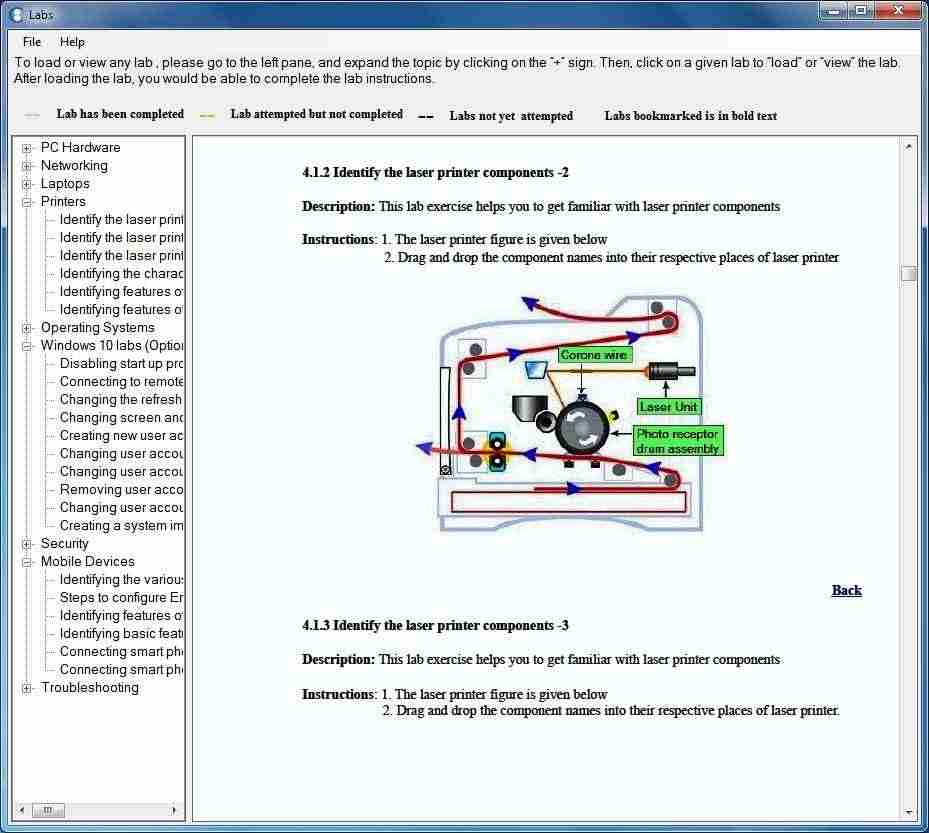
The figure below displays the lab manual included with the lab simulator. The manual consists PC Hardware, Networking, Laptops, Printers, Operating Systems, Windows 10 labs and others.

A+ Practice Tests with LabSim lab excercies manual

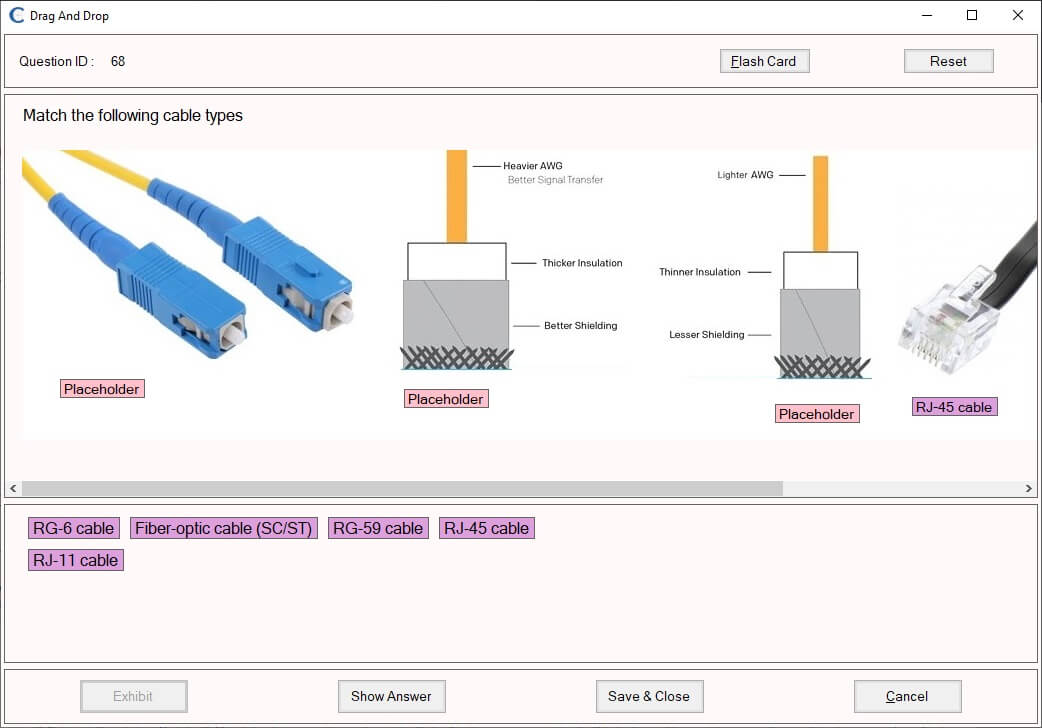
The figure below shows a typical drag-n-drop kind of question:

aplus practice exam with simulator drag and drop question type
In the above figure, you are asked to drag the word (say HDMI) to appropriate connector. This lab helps you in identifying a connector with respective names.

Other products offered by certexams.com include Network+ Labsim, CCNA Network Simulator, and Juniper Netsim.

Disclaimer: CertExams.com is neither associated nor affiliated with CompTIA® or any other company. A+ is trademarks of CompTIA® organization and duly acknowledged. The practice tests material is a copyright of CertExams.com and the same is not approved or endorsed by respective certifying bodies.

CertExams.com Thanksgiving Special Discount Offer

Share

Certexams.com, leading network sims and exam sims provider, is offering deep discounts across its range of software products, including Cisco CCNA, Juniper JNCIA, Comptia A+ and other practice tests on the occasion of Thanksgiving and Christmas. You may avail this offer without having to enter any discount coupon code.

Further, we have recently updated Comptia A+ Labsim to conform to the latest exam objectives and several new labs have been added. The website, certexams.com has been updated to offer secure SSL and Mobile First website design. Please check it out!

About Certexams.com: The website is a pioneer in offering virtual computer labs for A+ and Network+. The website also offers network simulators and exam simulators for various IT certifications including Cisco CCNA, CCNP, JNCIA, Comptia A+, Network+, Security+, and others.